
Usage
Usage is how BuiltChat measures the AI resources used by your account. Your plan includes a usage allowance that you can spend across supported models and features.
Usage is not based only on the number of messages you send. The model you choose, how much information it processes, and the length of its response all affect how much usage is consumed.
Your weekly allowance
Your weekly allowance is shared across your activity in BuiltChat. Chatting, generating images, and using supported tools all draw from the same allowance.
Weekly usage resets every Monday at 2 PM Singapore time. Unused allowance does not carry over to the next week.
How usage is calculated
Each model has its own usage rate. Faster and lighter models generally consume less usage, while more capable models generally consume more. You can view a model's relative usage rate in the model selector before choosing it.
The model selector groups usage rates into seven categories:
- Low
- Medium
- High
- Very High
- Extra High
- Ultra High
- Extreme
These categories make it easier to compare models at a glance. A model marked Low is expected to use much less of your allowance than one marked Ultra High or Extreme. These categories are relative guides, not fixed amounts consumed by every message.
Large prompts, long conversations, detailed responses, attached files, image generation, and other advanced features can increase usage. This means that two messages sent to the same model may consume different amounts. A short question with a brief answer will usually consume less than a long request that requires extensive processing and a detailed response.
BuiltChat automatically compacts older parts of long conversations. It keeps the important context while reducing how much information the model needs to process again. This helps control the usage of long chats, although complex requests and detailed responses may still consume more.
Usage example
For example, a single message using Fable 5 may consume up to 3% of your weekly allowance, while a message using GPT-5.6 Luna may consume less than 1%.
These percentages are estimates rather than fixed rates. The actual usage depends on factors such as the length of your prompt, how much conversation context the model processes, and the length of the generated response.
Checking your usage
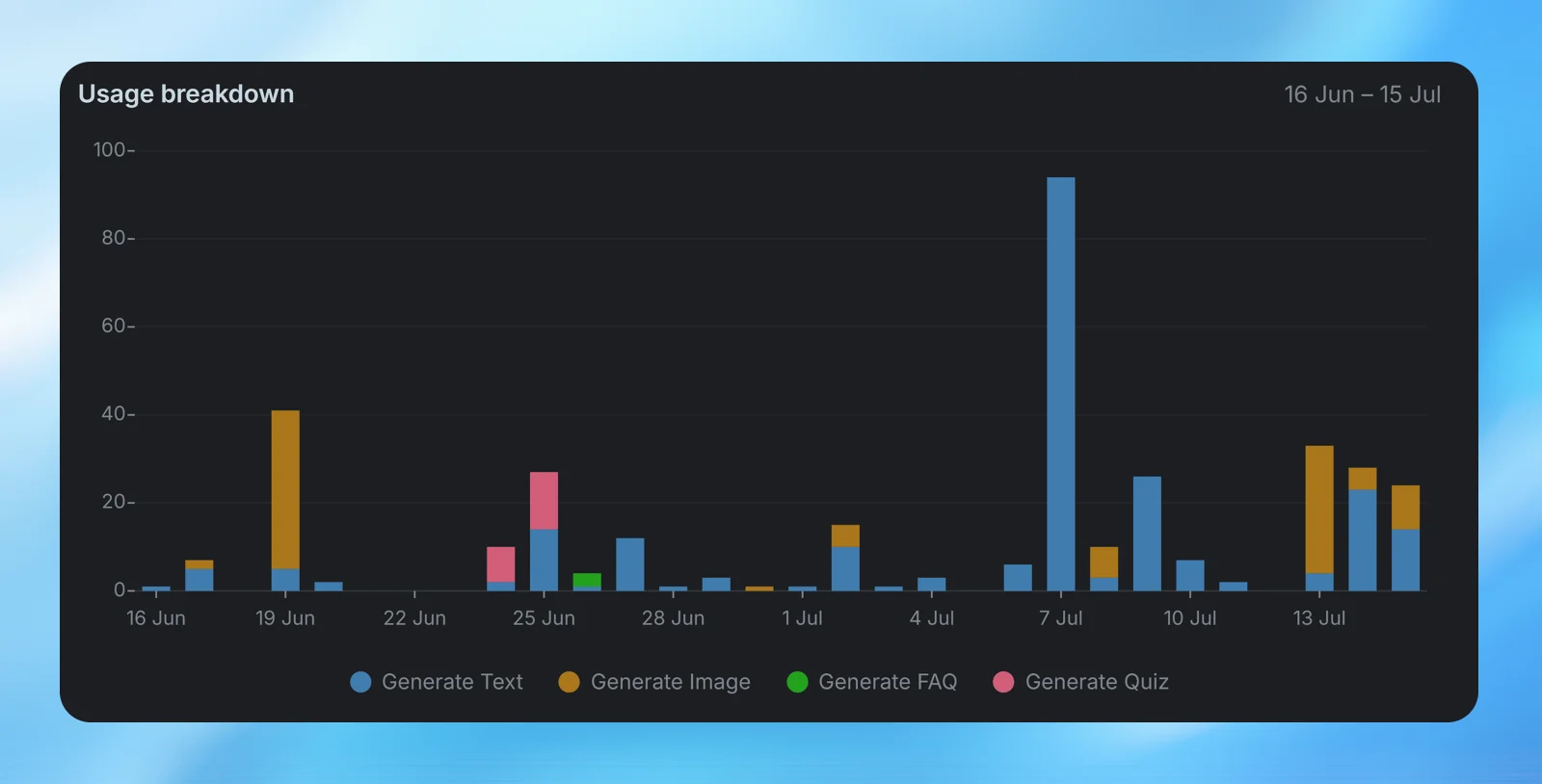
You can monitor your current allowance from Settings → Usage. The usage page shows how much of your weekly allowance has been used, when it will reset, and a breakdown of your recent activity.
The activity charts show which days and features account for most of your usage. Use them to spot patterns and choose models that better match your needs.
When you reach your limit
If you use all of your weekly allowance, access to usage-based features may be limited until more usage becomes available. BuiltChat will show the relevant limit in the app when this happens.
To make your allowance last longer, use faster models for simple tasks and reserve more capable models for work that needs deeper reasoning, detailed analysis, or stronger instruction-following.