
Projects
Projects keep related chats, instructions, and sources together in one workspace. Use a project when you want to work on the same topic across several conversations without adding the same context and reference material each time.
You can also invite other BuiltChat users to a project. Members share the project's instructions and sources, but each member's chats and chat history remain private. Other project members cannot open or read your conversations.
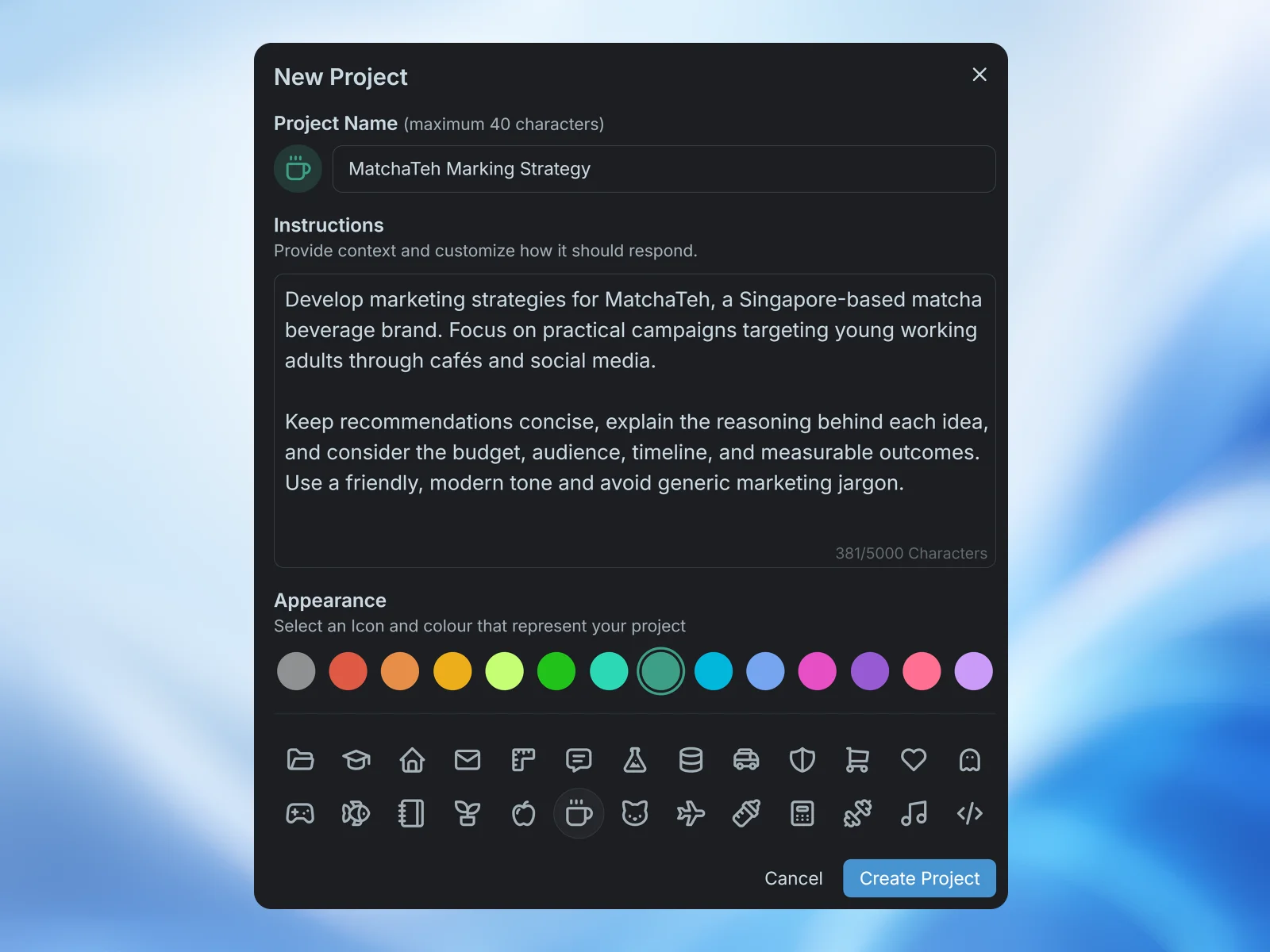
Creating a project
Select New Project from the chat sidebar. Enter a project name, add instructions, and choose an icon and colour. Project instructions provide context and customize how the model should respond in every chat created inside the project.
Open the project from the sidebar, then use the message box at the bottom of the project page to start a new chat. Your project chats appear under the Chat tab for quick access. Only chats that you create are shown to you.
Sharing project sources
All sources added within a project are shared sources. They are available to every chat in the project and to every project member. This lets a team work from the same websites, text, and files while keeping their conversations separate.
Open the Sources tab on the project page to view the shared source collection. Members with Chat & Update sources or Manage permission can add, rename, remove, and delete project sources. Changes to this collection affect everyone who uses the project.
Inviting members
Open the Members tab and select Invite Member. Enter one or more email addresses, choose a permission level, and send the invitation. Invited users can accept or decline before joining the project.
Choose the permission level that matches what each member needs to do:
- Chat Only: Can create private chats and use the project's shared sources.
- Chat & Update sources: Can chat and add or remove project sources.
- Manage: Has full access to project settings, sources, and member management.
Project managers can change a member's permission or remove them from the project. Removing a member revokes their access, and file sources they contributed are removed from the project.
Chat privacy in a shared project
A project shares context, not conversations. Members cannot see one another's chat list, messages, prompts, or model responses. Shared sources should therefore contain only information that every project member is allowed to access.
If source material should remain private, use a regular chat outside the project. Keep in mind that a member who is allowed to update sources can change the shared source collection for future chats.